
Hello, 2015! It’s gonna be a fun fun year!
I hope all of you had a good year-end break and a wonderful start to the new year!
I spent the last couple of days in 2014 nursing my little girl who caught a bug and is now finally on the mend. And while I was cradling her in bed for hours on end, I was planning the family meal plans, listing the endless to-do lists and also having a thought about what I would be sewing next. And the cheesy new year crafting resolutions that I resolved never to do popped in my head to say ‘harrow’.
So here’s the list, made up in my head with ringing ears (from baby’s screams), aching arms and sore boobies (yes, I’m still breastfeeding my 14.5 month old. It IS a good thing).
1) Tame those scraps
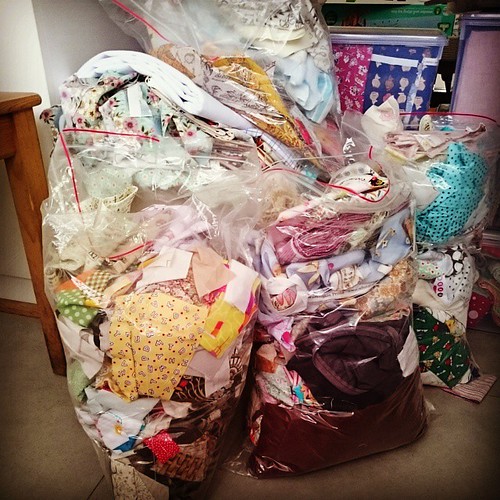
The scrappy state of my scrap bags. More Bags not in the picture.
Scraps are fabrics, still. And fabrics cost money, a lot. So I should really work harder at managing my scraps. The scraps seem to be taking over the sewing area, inching to invade the surface that they can cover like in the horror movies. My plan is to 1) make small projects with the scraps 2) offer more scrap packs for sale and 3) work on the scrap user’s system by Bonnie Hunter.
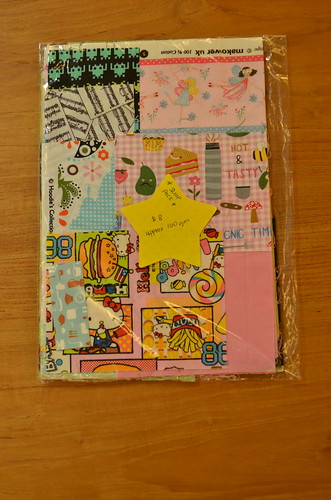
Scrap Pack that I put together for sale a long long time ago.
2) Make more clothes

See how my little girl upturned the hem to show off mom’s awesome blind-hemming skills.
I made this frock in Feb’14. Katie only wore it TWICE. She can’t fit into it now, but I relished the moments I popped this over her head to try it on for fun. I have gathered so much clothes making fabrics (not quilting cottons) and patterns for the kids. I. Must. Get. Down. To. It.
3) More projects for the family
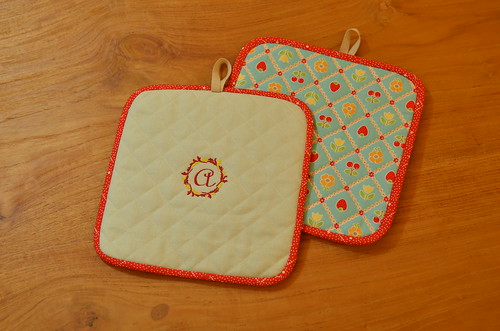
Custom order – personalised quilted pot holders
This means more quilts on the beds, more handmade goodness around the house and finally make something pretty for myself. The pot holders are a classic example of something that I wanted to make so badly for the loooongest time for my own kitchen and yet never mustered the energy to take the insul-brite out of its packaging UNTIL someone came asking if I have any pot holders for sale. Oh yes, I do!
4) Take more pictures
I have been sorely deficient in documenting my projects for a while. With a better phone camera, awesome prime lenses, WIFI SD cards and auto-sync/uploads from the devices, there’s really no more excuses for not taking more pictures of stuff that I make before packing them away. And maybe more WIP shots too?
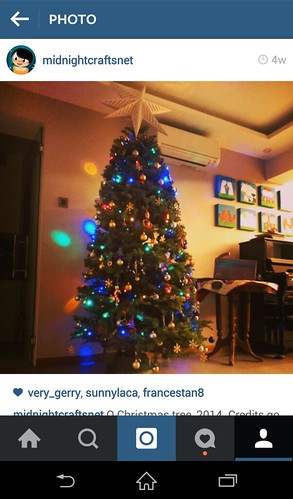
And with that, I present to you: Midnight Crafts on Instagram! Ta-Dah! Come, come… don’t be shy, ok?! And there’s good old Flickr and FaceBook too!
5) Sew more with (more) Friends
2014 has been a fantastic year for sewing with friends. I managed to keep up with most of the monthly meets with my quilting friends and I had the most wonderful time with Mama G, who flew in from France to visit her family, and she made time to come by to sew with me for a couple days. We made the dresses for our kids! Also I helped a friend finished her first sewing project: a quilt for her toddler son. She’s on her way to getting her own machine and I’m sure we will sew more together this year.
It is not always easy to say ‘yes’ to a sewing date as I have the kids to tend to, work to be done and chores to complete. I’m kind of true to the mantra I throw at my son on a daily basis: WORK BEFORE PLAY!
So I guess I should do as I say by ‘putting my head down and focus on finishing my tasks’ and have the rest of the day to ‘sew’. Having the kids over at the grandparents’ helps too!
And with that, I wish you loads of sewing projects, beautiful fabric stash, and plenty of crafty inspiration in 2015. I’m having guests over for a dinner party tonight – to make up for X’mas/New Year celebrations we had to cancel because of the little one. But like my friend said, it’s like a prolonged Christmas. True, that.
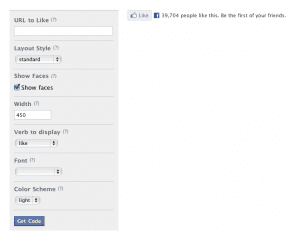 2.2) Copy the URL of your latest post (I usually click on ‘preview’ link on post on my word press engine and copy the URL, deleting the codes: < &preview=true>) and Paste into ‘URL to Like’ field.
 2.4) Copy ALL the text displayed in the ‘iframe’ box. All the text should be selected when you click on the iframe box. Then you can just right click or press CTRL+C or Command+C to copy.